
Telecoms Billing API
The REST API connects the billing platform with your CRM, accounting software and provisioning systems, so the same records do not need entering twice.
It covers customers, services, numbers, features, calls, invoices and payments. Access is read-only on Standard, read and write with webhooks on Premium, and full on Enterprise.
What You Can Do
Full access to your billing data and operations. Read, write, and automate.
Customer Management
Create, update, and query customer records. Sync your CRM with the billing platform automatically.
Service Management
Add, modify, and remove services on customer accounts. Provision and bill in one workflow.
Usage Data
Pull call records, data usage, and consumption figures. Build custom dashboards or feed external systems.
Invoices
Retrieve invoices, line items, and billing history. Show billing data wherever your customers need it.
Payments
Query payment status, history, and outstanding balances. Keep your accounting system in sync.
Reporting
Access billing reports and analytics programmatically. Automate the reports you run every month.
API Access by Package
API availability depends on your package. Higher tiers get more capacity.
| Feature | Startup | Standard | Premium | Enterprise |
|---|---|---|---|---|
| API access | — | Read-only | Full access | Full access |
| Rate limit | — | 1,000/hour | 5,000/hour | Custom |
| Webhooks | — | — | ✓ | ✓ |
| Sandbox environment | — | ✓ | ✓ | ✓ |
Common Integrations
Typical ways resellers use the API to connect their systems.
CRM Integration
Sync customer data between your CRM and the billing platform. Create a billing account when you close a sale.
Accounting Software
Push invoices and payments to <a href="https://xero.com/?xtid=x30safebillingplatform" class="text-blue-800 hover:text-blue-600 underline" rel="noopener">Xero</a>, Sage, or QuickBooks. Keep your books accurate without double entry.
Custom Dashboards
Build your own reporting tools using billing data. Show your team exactly what they need to see.
Provisioning Systems
When you provision a service, your provisioning system can create the billing record through the API, so both systems hold the same service.
Technical Overview
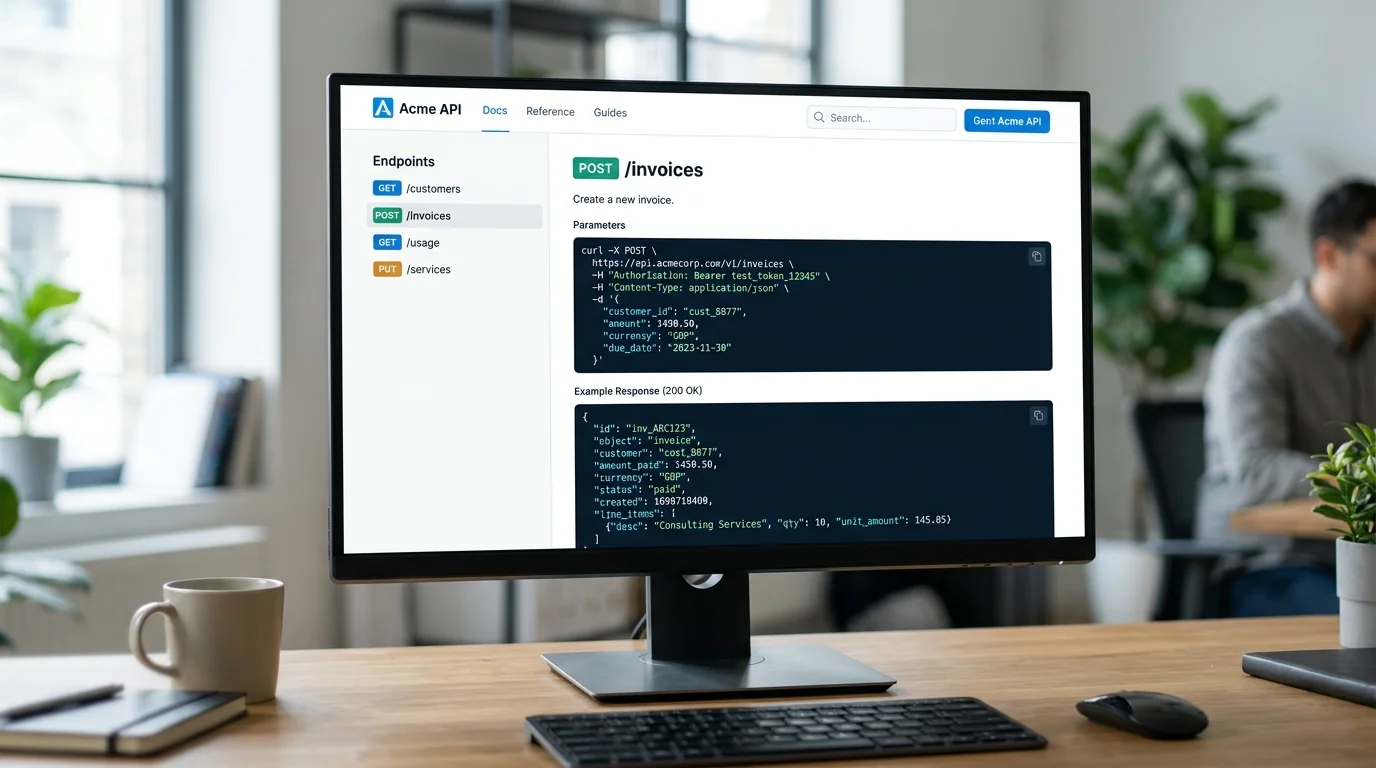
Our API is built for developers who want to get things done quickly and reliably.
- ✓ RESTful architecture with JSON responses
- ✓ Token-based authentication
- ✓ Comprehensive API documentation
- ✓ Rate limiting with clear headers
- ✓ Webhooks for event notifications
- ✓ Sandbox environment for testing
Full API documentation is available at documentation.billingplatform.uk/api. It includes endpoint references, code examples, and guides for common integration patterns.
Getting Started
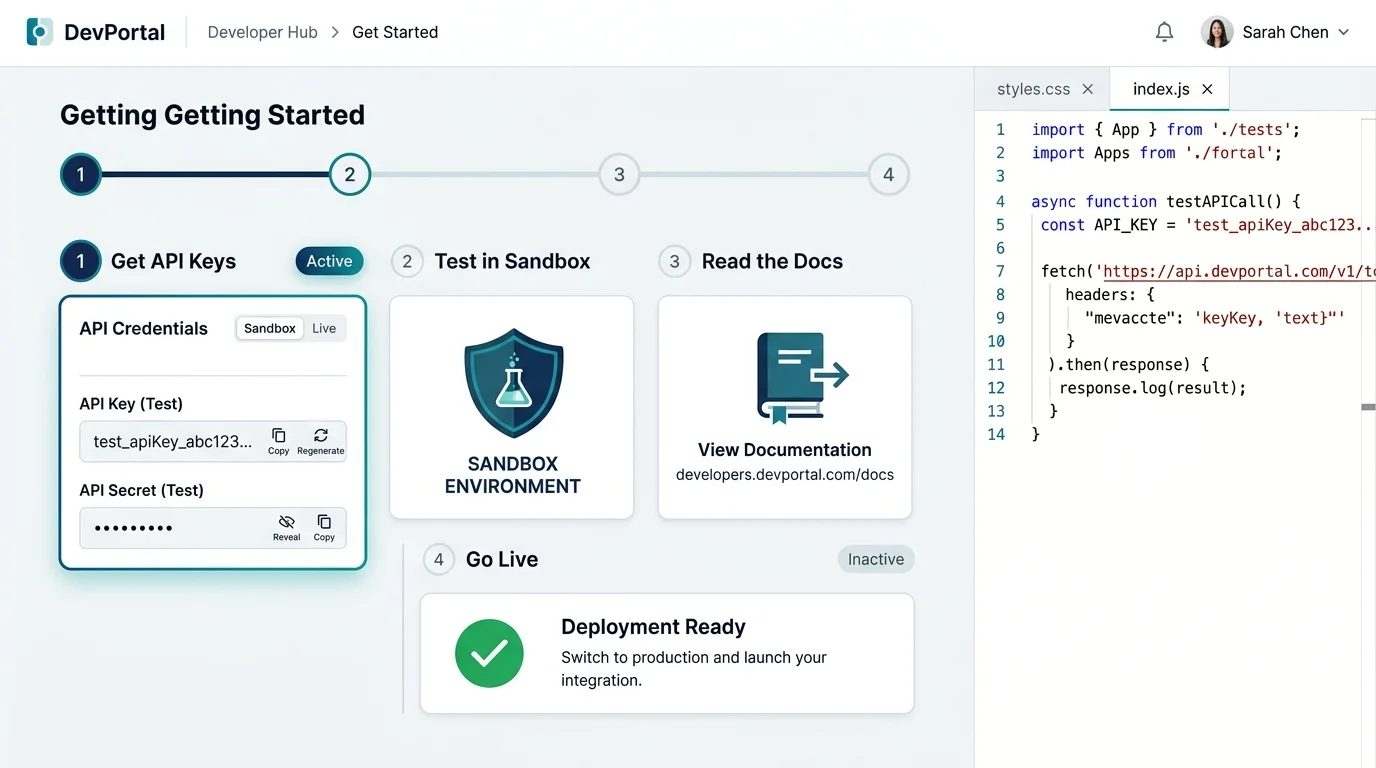
The steps for building a first integration.
1. Get Your API Keys
Generate API credentials from your account settings. Each key can have different permission levels.
2. Test Safely
Ask us for a test setup before connecting live data. We will help you validate credentials, permissions, and expected API behaviour.
3. Read the Docs
Our API documentation has everything you need. Endpoint references, examples, and troubleshooting guides.
4. Go Live
Switch to production credentials when you are ready. Your integration is ready.
See what the API can do. Explore API access on the platform →
Plan Your Integration
Talk to us about API access. We can walk you through the documentation and help plan your integration.
Arrange a Demo